
How to Insert AdSense Ads Inside Blog Post Content (No Plugin)
Ads placed inside your article content usually perform better than ads in the sidebar or after the post, because readers actually see them while reading. You can insert AdSense ads inside blog post content in WordPress without a plugin, using a short function that adds your ad after a chosen paragraph. Here’s the code we use, fixed and updated for 2026, plus the AdSense In-article ad format and the plugin alternatives.

Quick answer: Add a filter on the_content in your child theme’s functions.php that splits the post at each closing </p> tag and inserts your AdSense ad code after, say, the 3rd paragraph, on single posts only. Use an AdSense In-article ad unit for the best fit. Or turn on AdSense Auto ads, or use the Advanced Ads or Ad Inserter plugin.
Table of Contents
What in-content ads look like
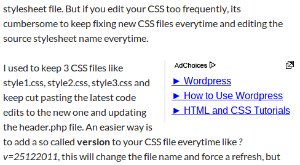
The ad appears between paragraphs, where it blends with the content and gets noticed, which usually means a higher click-through rate than ads at the edges of the page.
Step 1: Create an In-article ad unit
In your AdSense account, go to Ads > By ad unit and create an In-article ad. It’s designed to sit between paragraphs and adapts to your content width. Copy the <ins> code and note your publisher ID (ca-pub-…) and ad slot number.
Step 2: Add the code to functions.php
Add this to your child theme’s functions.php, or to a code snippets plugin. Back up the file first, as a typo can take your site offline.
add_filter( 'the_content', 'qot_insert_incontent_ad', 20 );
function qot_insert_incontent_ad( $content ) {
    if ( ! is_single() || ! in_the_loop() || ! is_main_query() ) {
        return $content;
    }
    $after = 3; // insert the ad after this paragraph
    $ad = '<div class="incontent-ad">
      <ins class="adsbygoogle" style="display:block; text-align:center;"
           data-ad-layout="in-article" data-ad-format="fluid"
           data-ad-client="ca-pub-XXXXXXXXXXXXXXXX" data-ad-slot="1234567890"></ins>
      <script>(adsbygoogle = window.adsbygoogle || []).push({});</script>
    </div>';
    $parts = explode( '</p>', $content );
    foreach ( $parts as $i => $part ) {
        if ( trim( $part ) ) {
            $parts[ $i ] .= '</p>';
        }
        if ( $i + 1 === $after ) {
            $parts[ $i ] .= $ad;
        }
    }
    return implode( '', $parts );
}
Replace the publisher ID and slot with your own. Make sure the main AdSense script is loaded once in your site’s head; here’s why you should load the AdSense script only once.
How the code works
is_single()limits ads to single posts. Useis_singular()to include pages too.in_the_loop()andis_main_query()stop the ad appearing in widgets or excerpts.- Priority
20runs the filter after WordPress has added paragraph tags to Classic Editor content. $after = 3places the ad after the third paragraph. Change it to move the ad further down. If a post has fewer paragraphs, no ad is inserted.- The
incontent-adclass lets you style the spacing, for example.incontent-ad { margin: 24px 0; min-height: 250px; }. The minimum height reserves space and prevents layout shift.
Fixes from our original version: the 2013 code used one class name in the PHP and another in the CSS, and added an extra closing </p> at the end of every post. The version above fixes both. The original idea came from code shared by Brad Dalton.
Want more than one ad?
Change the check to insert ads at several positions, for example in_array( $i + 1, array( 3, 8 ), true ) for ads after paragraphs 3 and 8. AdSense no longer limits the number of ads per page, but ads must not outweigh your content, and too many hurt the reading experience. For archive pages, see how to insert AdSense ads between posts.
No-code alternatives
- AdSense Auto ads: Google places in-content ads for you. We use AdSense Auto ads on this site.
- Plugins: Advanced Ads and Ad Inserter can insert ads after any paragraph, with rules for categories, devices and more.
I still prefer a few lines of code: it’s lighter than a plugin and does exactly what I need.
Frequently asked questions
Is it allowed to put AdSense ads inside content?
Yes, as long as ads are clearly separated from content and can’t be confused with links or navigation. The In-article format is made for this.
Why aren’t my in-content ads showing?
Check the publisher ID and slot, make sure the AdSense script loads once in the head, clear your cache, and allow time for new ad units to start serving. Empty slots can be hidden neatly; see how to hide unfilled AdSense ad spaces.
Will this work with the block editor?
Yes. Block editor content also uses paragraph tags, so the same filter works.
Get our free weekly email: new tech guides and tools, no spam.
New and updated tech guides, a free tool worth bookmarking and one useful pick, once a week. No spam, unsubscribe anytime.
One email a week. Unsubscribe anytime. See our privacy policy.



Thanks for this helpful and effective tips on how to use adsense code in the content middle. But can it be modified as per just inserting in the middle, not just after specific no of paragraphs. Because all the content doesn’t have the same no of paragraphs or words. Ok thanks again for this code.
Hi Chandra,
CTR is definitely higher in case of in content ads. And you have shared a nice guide on how to do it perfectly. Thanks for sharing.
The code works perfectly for Adsense, but if i try to use any other ads code, the function.php breaks.
Ya placing the ads in the middle of the post is really useful for increasing the CTR. and also Placing ads in the post starting is another successful method.
Really nice information about google adsense. Please also share some tips regarding grow CPC rate. Thanx for this post.
Any blogger alternative? I don’t want to manually insert in every post
well i am using a plugin for this i didnt knew about it. thanks for sharing this article . i will surely try this
Great information here, I have been an Adsense plublisher for years now, I did make some money in the process way back in 2007-2008. It’s really all about ad placement colors and for me it’s seems that text ads were converting better than picture ads.
Thanks for the great read
Hi
This post is very nice. sir tell me more about Google Adsense . and how to improve our blog to increase traffic for Google Adsense. This is my blog check it and give me some tips.
http://dressquery.blogspot.com/
Thanks.
Thanks for the information. But for a non-programmers like us I think wordpress adsense plugins are easier to use. We can easily locate where we want to put the adsense
Good article but i prefer to use plugins for this kind of work because you can sometimes, accidently mess code up. And you wouldn’t know how to fix this. So i think it is better to use Quick Adsense plugin for adsense-related stuff.
thanks for sharing. Might try to implement this on my blog once I’ve got my head around it!
I am very happy to know this. because I was trying to keep banner in middle of post of my blog site. I think that I can now to do it perfectly thank a lot. Also you can to post in my blog here is my blog site. please visit http://www.graphicalarm.com
Hi,
Thanks for the handy guide. Is it possible to show “Advertisements” or “Sponsors” just above the ad? Also, it would be great if we could show ads only on pages with certain amount of words, say 900 words.
Thanks for this. I have been wondering how to do this for a long time. Might try to implement this on my blog once I’ve got my head around it!
Although I would prefer using any Google Adsense Plugin that can easily do this task with just a few click, its still helpful to learn this manual procedure. After all, there are times the plugins may disappoint and this code or manual process would become very handy! Thanks for sharing this piece!
How to insert Adsense ads in blogger ? Please help.
You need to edit the blogger theme template and add adsense code directly where you want it.
but ? if i have more than 3 – 4 post on my home page of bloggr.com than i think it will show 3-4 ads simultanusly ? ….. it may comes under terms of violation ? plz suggest ?
The solution for putting Adsense ads into blogger can work like this:
It involves jQuery.
Google will automatically inject in your posts up to 3 AdSense blocks. So the first 3 posts (in a top-down order) in your home page or archive pages will have ads.”
I need this tutorial. Just home page + archive pages will have ads. But 9 post have on home page.
Blogger default (first 1. post + adsense + 3 posts + adsense + 3 posts + adsense + 2 posts + navi
But i want ;
First 3 post + 728×15 adsense + 3 post + 728×15 adsense + 3 post + navigation
But i cant do it :( Please help me.
How to make it?
Dude, you need to install custem-designed theme in wordpress in order to get this functionality. Or you can check and install premium theme which offers these feature to show adsense ads on homepage and other pages of your choice.
Every time I mess with my Function.php file I end up breaking the theme. With that in mind I would suggest a plugin called Ad Injection, which can put ads at the top, middle and bottom of your posts and pages, and can also add an ad into your footer.